BSD pt Deux
BSD Pt. 2
They did it again. Those inglorious bastards over at Jupiter Broadcasting gave me an excuse to build another BSD machine. I already had a couple running (this website being one), but I now have the opportunity to use a machine that wasn’t built in the last century.
First, the rules.
As I type this, the date is 27 Apr 2026. The results are due by Linux Unplugged episode 666 on the 10th of May and will be judged on-air. Prerequisites are simple: to enter the competition, just install BSD. Any BSD. I regretted my decision to install Ghost-BSD for the last challenge, since it wasn’t a pure ground-up freebsd install and could be considered cheating (the rules were different then). Because of this, I took a different route and installed from base, but now I’m worried that having this installed before the challenge may be considered cheating as well. To remedy this, I’m going to take my previous FX-8350 based home BSD machine and re-install a BSD of my choice on it as well as my primary BSD machine. I don’t want to use FreeBSD on that one, being that it’s the Ubuntu of the BSD world and variety is the spice of life. More on that machine later.
For now, I want to concentrate on the primary box; a previously donated Nixos machine that I was kindly forcing family members to do mundane tasks on to prove a point about Linux’s usability. It was originally part of the Olympia, Washington Computer Upcycle project, but didn’t have the appropriate hardware for mass consumption. I gave it a new home; first for testing random peoples’ reactions to the OS, though the last person I wanted to have test it was my grandmother who announced on the same day that her cancer was back and she was going back for chemotherapy. This followed my wife having to escort a worker out of her job for smoking meth at work.
Finally accepting that this machine as it stood was some kind of evil bad-luck horcrux, I decided to re-format it as part of the BSD challenge. There are four levels: Survive, Drive, Power, and Bonus. Survive is an almost given, essentially summing up to sit down and do the most basic things on the system. The second, the Daily Driver level simply steps up the level to “do normal stuff” like having a desktop and make noises. Level 3 is called the “superuser” level, though I believe this is bad nomenclature. The challenge’s tasks include “update the computer” and “start a service”. Finally, Level 4 is the “Bonus Round”. This involves starting a container, and using what’s init. Beyond that, there’s using the firewall, using a virtual machine, and using a zfs snapshot. This is the only thing that I would have trouble doing by memory. For a moment, I wondered if disabling pf counted as “using” the firewall; but hey, where’s my game spirit? No. I’ve decided to do something a little more true-to-life, like blocking a California IP address.
First, though, the early stages:
Level 1 — Survival (0–7 points) Can you get a usable system? Task Points Successfully boot into a fresh BSD install (VM, bare metal, or… somewhere interesting) 2 Connect to the internet and confirm with a ping or curl 2 Install at least one package using the native package manager 2 Find and read a man page for something you didn’t already know 1 Gotcha for Linux users: The package manager isn’t apt or pacman. Finding it and understanding the difference between ports and packages is part of the fun.
This is incredibly simple. As I’m typing this on my freebsd machine now, I’d say that having an install of a bsd is covered. I needed to connect to the internet to get this rule set on this machine, so that’s complete as well. I’m typing this in LibreOffice writer, so I’ll count that as installing something, and; just for future reference, I’ll read the manpage on PF… Done. 7 points
Next, we have level 2:
Level 2 — Daily Driver (8–14 points) Can you do normal desktop human things? Task Points Get a graphical desktop environment running 3 Get a web browser open and load a webpage 2 Create a user account (not root!) and log in as that user 1 Mount and read from an external drive or USB stick 1 🎵 Bonus: Get audio working — even a test tone counts 1 Gotcha for Linux users: Display stack differences will likely humble you here. Also, doas may be your friend depending on your BSD — and it’s not sudo by default.
Getting a graphical desktop was as easy as following a youtube video (specifically this one: https://www.youtube.com/watch?v=TmFl7QTvWPs&t=425s). The interesting part of all this is that the tutor integrates his own home-grown desktop into the tutorial. I got a little excited when I first heard him say “cargo build” as part of the instructions, but it seems that he has since ported from Rust to Zig. I personally think this was a good move, but I really wanted to hear those horns. Disappointment aside, I have a tiling wm with drun for software selection and a wallpaper setup I’ll get to later.
The web browser was a simple pkg install away, so I can’t say much on that, outside of wanting a maintainer to step up for the ladybird port (this is a recurring issue with FreeBSD packages). Creating a user account was literally the first thing I did when I got a shell. Nothing to report there. Mounting and reading has happened several times. I took it one step further by getting an sshfs mount going so I could move this document around easily (I eventually dropped it for tailscale send).
Audio worked out of the box with no work needed to get it going. This machine has an internal speaker that required no setup. I noticed it when I started playing xonotic with my son over our lan. 15 points
Can you do the kinds of things a Linux nerd actually cares about? Task Points Update all installed packages using the native tool 1 Perform a full OS update (e.g., freebsd-update, syspatch, etc.) 2 Configure and enable SSH — connect from another machine 2 Stop, start, and check the status of a service using your BSD’s native init system (rc.d on FreeBSD/NetBSD, rcctl on OpenBSD — no systemctl here!) 2 Edit a config file to make a service start at boot, the BSD way 1 Write a short shell script and set it executable 1 Gotcha for Linux users: There is no systemctl. The rc system will feel alien. Reading rc.conf is not optional — it is the system.
Update is as easy as
sudo pkg update && sudo pkg upgrade -y
Eerily similar to ubuntu. Performing a full OS update was again extremely simple, simply running
freebsd-update fetch freebsd-update install
and waiting on it to complete. This was actually more intuitive to me than updating a nixos machine. The worst part was rebooting to see if anything broke. It didn’t. Configuring and enabling ssh was as easy as
sudo nvim /etc/ssh/sshd_config
and
sudo service sshd restart
Now, I have ssh running on a port that I will absolutely not need to run out to my shop to remember when I set this up as a headless machine. Last, I’ll need to write a script and have it run. That’s fine; I already did this on my old i3 Arch (btw) machine.
#!/usr/local/bin/bash
while true; do feh --randomize --bg-fill /home/nolan/.wallpapers/; sleep 5; done
Now, the (not anymore Rust) oxwm has randomly changing backgrounds. I actually have several scripts in this directory, all doing random things. Either way, 24 points. Also, why do the rules say I can only get up to 20 points here? I’ve counted three times now. I can’t be this bad at math.
Finally, the bonus round:
Level 4 — Bonus Round 🏆 (21+ points) Go to Jail. Task Points Create and start a BSD Jail (or container equivalent) 3 Get a service running inside the jail 2 Access that service from the host 1
Creating and starting a Jail is extremely easy with iocage. This can be thought of as the incus of the BSD world, and the command is very straightforward, if a bit lengthy:
nolan@666 ~> sudo iocage create -r 15.0-RELEASE
-n poop
vnet=on
bpf=yes
allow_raw_sockets=1
dhcp=on
boot=on Password: poop successfully created! No default gateway found for ipv6.
    • Starting poop
        ◦ Started OK
        ◦ Using devfs_ruleset: 1002 (iocage generated default)
        ◦ Configuring VNET OK
        ◦ Using IP options: vnet
        ◦ Starting services OK
        ◦ Executing poststart OK
        ◦ DHCP Address: 10.0.0.13/24 nolan@666 ~>
Now, any services provided by the jail “poop” can be found at 10.0.0.13 on the local LAN. While Jails don’t have access to tailscale, this can be routed through the tailnet pretty easily. To make the point, I installed nginx and edited the default page.
VICTORY
Unfortunately, I can’t access it from anywhere outside of my home network because I can’t get tailscale running in a jail. It doesn’t have access to the base kernel or something. I don’t know. I have other things to do right now.
Unscored stretch goals (no points, but eternal glory): • Set up pf (BSD’s packet filter) with a basic ruleset • Get Bhyve or QEMU running a Linux VM inside your BSD • Set up ZFS snapshots and roll one back
PF was easy. Just edit the pf.conf file to block all those evil Californian IP addresses and that’s it! Make sure /etc/rc.conf is enabled so we can get it on boot.
sudo echo “block in quick from 206.117.31.142 to any” >> /etc/pf.conf
Now, for the virtualization of it all. Freebsd has its own native VM hypervisor called bhyve; and qemu is also available if needed. I’ll be sticking with bhyve for now. Experimentation beyond that is a stretch, stretch goal. Checking the internet tells me that there’s a graphical manager called bhyvemgr. Installing this and running it left me with a soft lock. Instead of running the configured machine, the gui says “Trying create test virtual machine…” and never moves on. I’m going to call it here, since it’s 2AM on the night before the episode 665 “start line” and I’ve got to get this published.
Below are future plans and some pictures for the sake of context:
Plans before episode 666:
- Picom and other prettyfication on the window manager.
- Get my Bulldozer machine running DragonFly BSD
- Finish the stretch goals
- Get Tailscale working on Jails
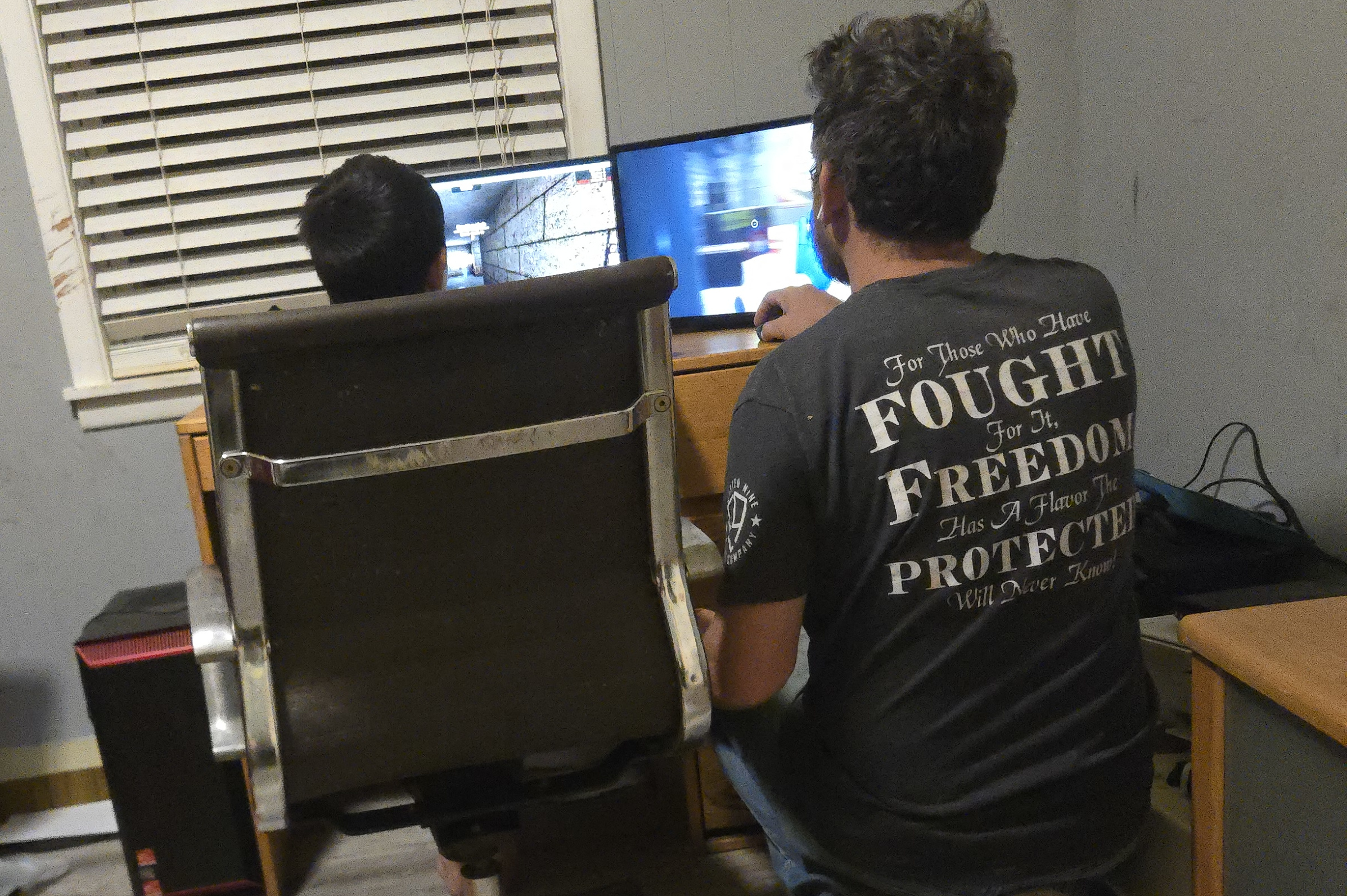 Beating a 10-year-old. Disregard the cringe shirt. It’s not mine
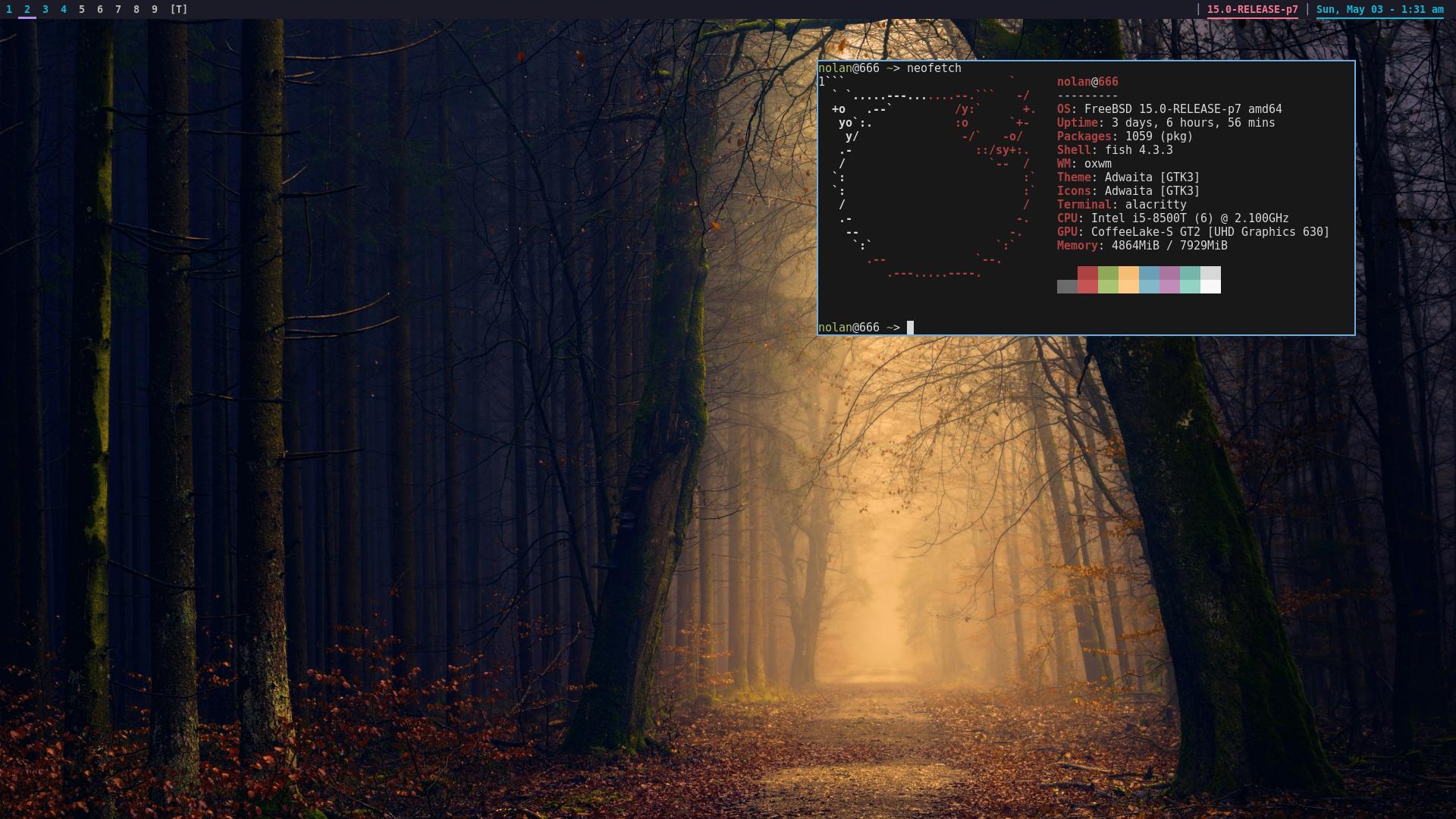 Fetch
Fetch
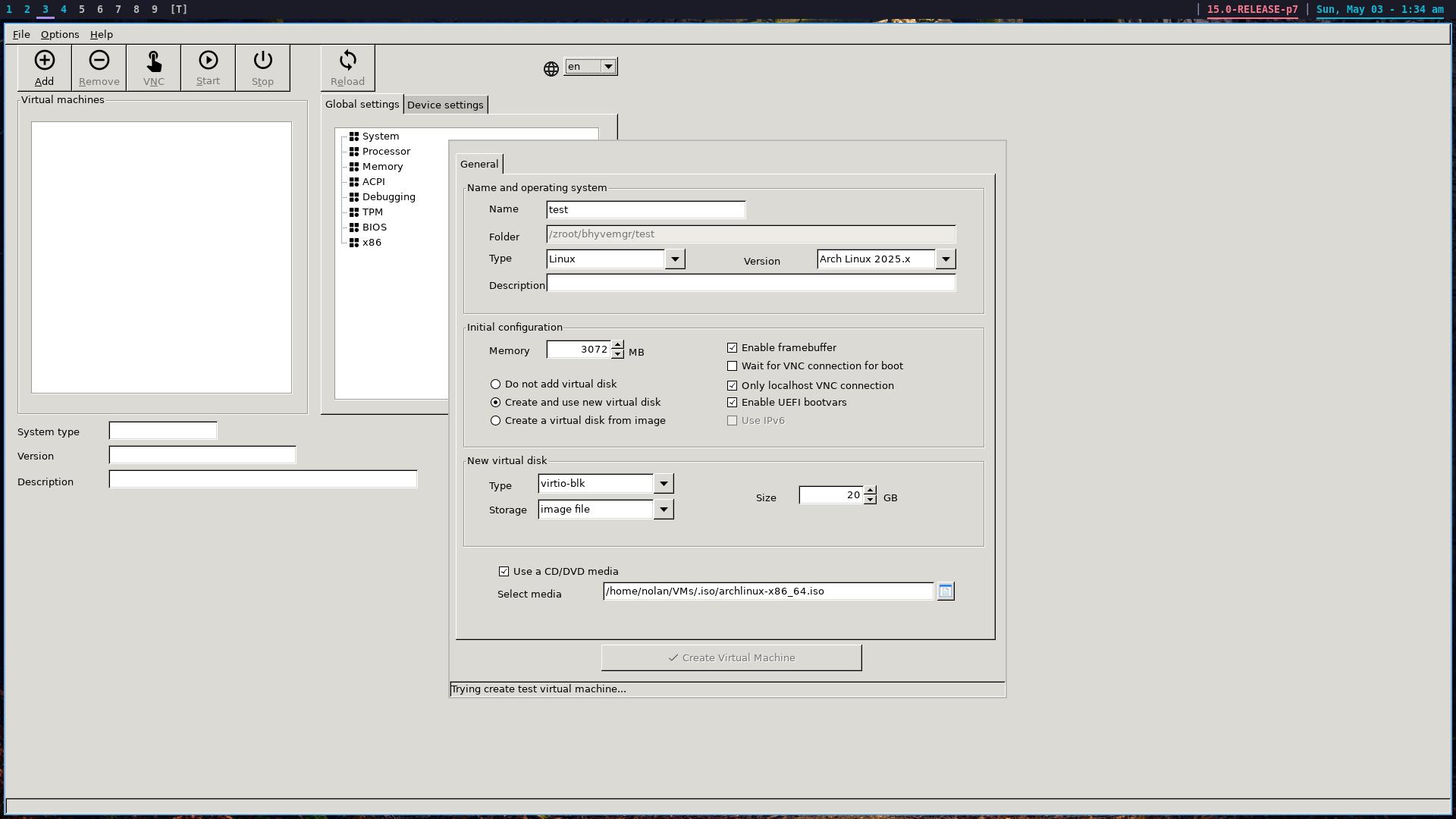 The VMM problem
WEEK 2: POST-665 UPDATES
Last week sucked; this week has been hell on earth. Because of this, I haven’t managed to hit my stretch goals. While the original install of FreeBSD I spent about four total hours downloading and writing image files and isos to jump drives with no success. Over and over, these attempts failed, with OpenBSD getting me the closest to a successful install. Despite this, I’ve been overall very successful with the base goals and some of the stretch goals. Maximum points is nothing to not be proud of, but I want to record my misses for posterity as well; hoping to fix them after the post.
But on to the successes:
PINCHFLAT HAS MET ITS MATCH
I spent some time trying to get one of my favorite self hosted stacks running on FreeBSD. For all my expectations, Pinchflat should have been easy to port. It’s written in Elixir, a VM-powered programming language that ought to function anywhere the BEAM VM works, but it was apparently written with expectations in mind that simply don’t exist on FreeBSD. After an hour of twiddling with Elixir (a language I don’t have much experience in), I decided it wobuild my ould probably be easier to just build my own Pinchflat with hookers and blow.
Introducing: SINCHFAT®®®®®®®®®™™™™™
At its most fundamental level, Pinchflat is a simple scriptish wrapper around yt-dlp, but Elixir is a bit of an esoteric programming language that undoes the simplicity of the concept. I should mention that I don’t want to dismiss the incredible work around what put pinchflat in my top 5 favorite self-hosted stacks. It’s amazing. What I’m saying is that when I have a week to make something work; a week that I am working 7 days, rebuilding my work car’s engine, patching two of its tires, helping my dad bury his 18 year old dachshund, planning [REDACTED] drug intervention, repairing a chicken house’s roof that got blown off in a storm, teaching a new mail carrier half of a route I haven’t worked in 14 months, replaced a refrigerator, and dealing with my bank screwing up and double-charging my mortgage, putting me 500 dollars in the red, I don’t want to add crash-learning a new programming language to my list. Instead, I decided to go with duplicating the functionality of Pinchflat using some software I wrote a few months ago coupled with some new work I did.
Stage 1: Get pointers to the videos to download and then download them; organizing them by metadata. Stage 2: Re-serve these videos (I’m actually setting mine to re-serve as audio-only) via an RSS podcast feed, allowing me to re-ingest the audio as a podcast on my phone.
Stage 2 was already taken care of. In wanting to host my own podcast, I skipped paying for a podcast hosting service and just built my own. The concept is as simple as I can get it: Each show has a directory, with the directory name being the name of the show. Each episode is in a sub-directory and they’re all served by a single executable. I created Stage 2 months ago and didn’t even know what I was doing. Stage 1 was decently simple as-is, just scan the channels and download the media. This was just a couple hours of work that I managed to take care of on my lunch breaks, sitting in my mail car in a Clark’s parking lot.
Anyway, Pinchflat now has a FreeBSD-first competitor. Repo 1: sinchfat Repo 2: dircast
THE PRETTY
A second stretch-goal that I set for myself was getting prettification set up, primarily through picom. Easy-peasy. I now have rounded corners and transparency. This was way easier than I thought it was going to be.
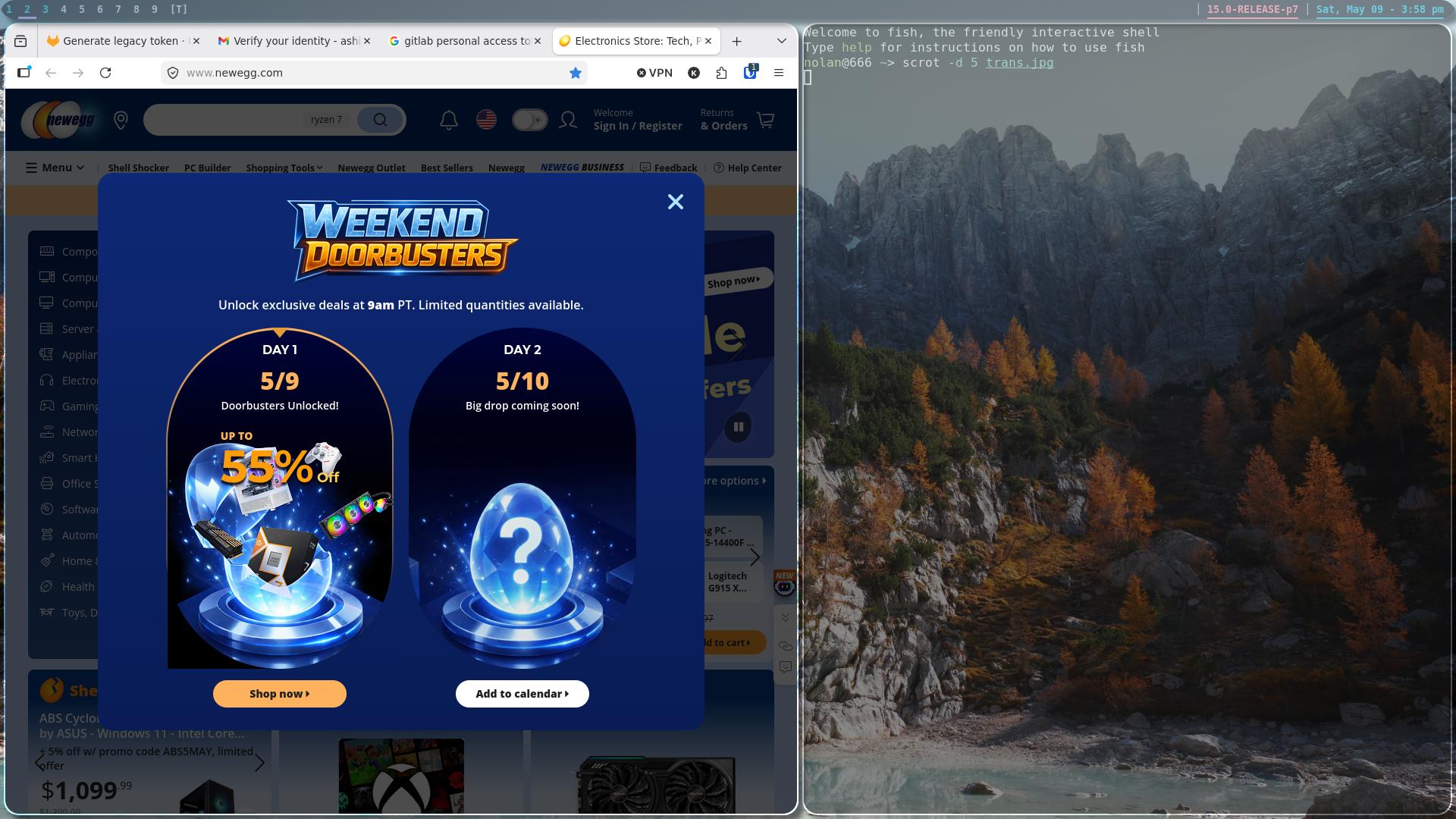 Admittedly, I kind of overdid it with the transparency and rounded corners. Might need to back off on that.
THE EARS AND THE TONGUE
A third stretch-goal was getting audio set up. I already got half way there with FreeBSD having audio working right out of the box, but something Chris on Linux Unplugged was afraid of was being able to record his show on BSD. Well, guess what; I started another show (and invented a new character).
Audacity is awesome. Despite what I was able to accomplish, there is still a hole where EasyEffects used to be. Recording audio just isn’t the same without having deep noise removal and echo removal.
GAMING
Mini-Mayhem (the 10 year old munchkin sitting next to me) is what I’d call a power user for his age. He’s got a collection of hundreds of pdf copies of lego builds and a steam library that would put mine to shame. As far as Linux has come over the last 15 years, jumping on FreeBSD was like stepping back to 2009 when it comes to games. If there was one element that would need addressing, it’s the game library. Luckily, there’s a non-zero world of FOSS games and I have a patient son. It wasn’t long before we were fragging each other in Xonotic and knocking each other off of tux cart tracks. Despite the deep trouble it would take to get most of our normal games running, this was more than enough for us to get through the week. The browser also helped a lot; this kid can absolutely destroy on the web version of Geometry Dash.
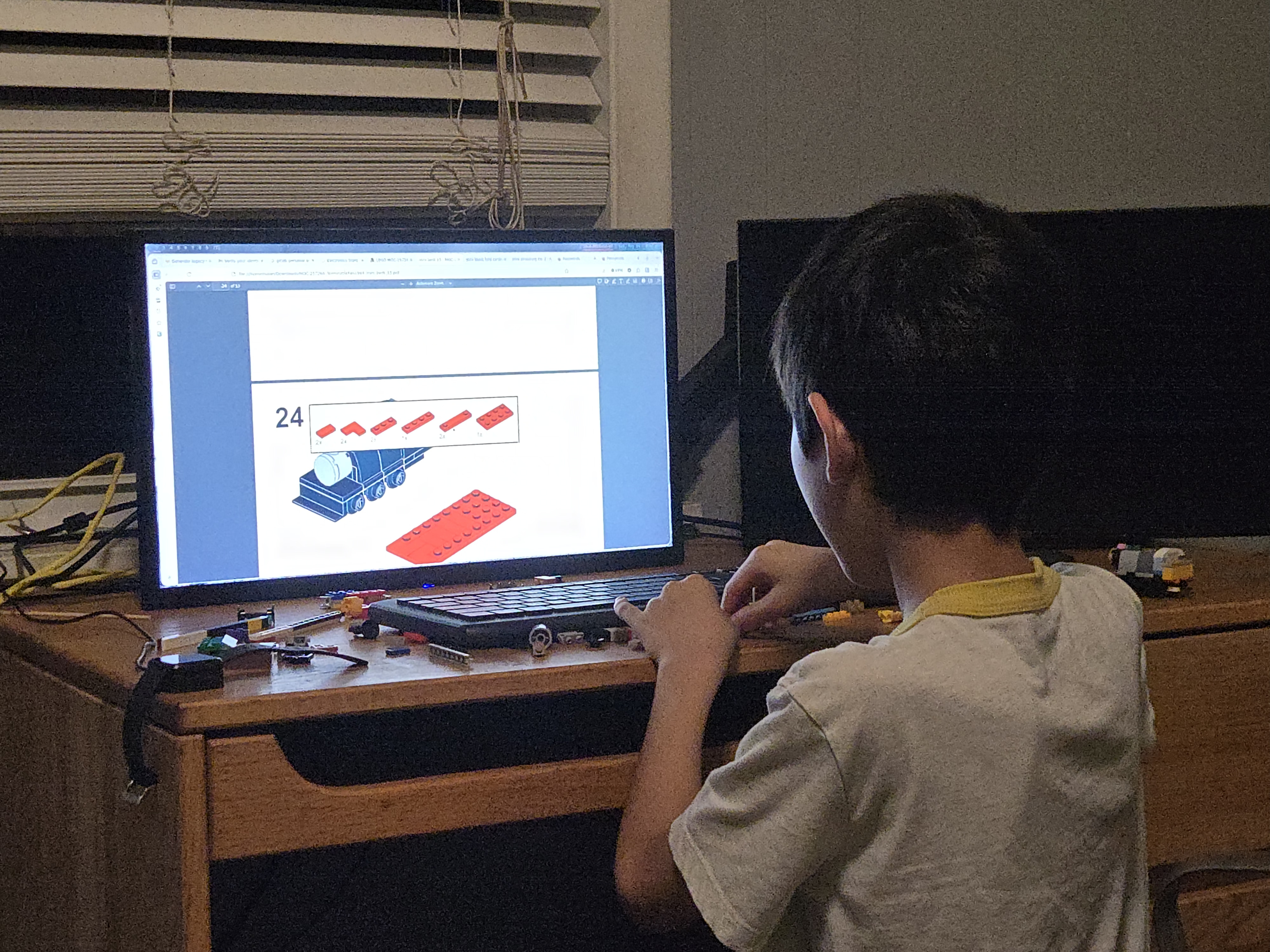 One of many
 He was mad that the web version wasn’t hard enough
WEIRDEST PLACE
There were bonus points for installing it in a weird place, so I put it in my car. This is a proof-of-concept, but I actually intend on making this a long-term reality with a smaller screen reflecting off of my windshield. With a smaller screen, this could be a legitimately useful HUD for working my mail route.
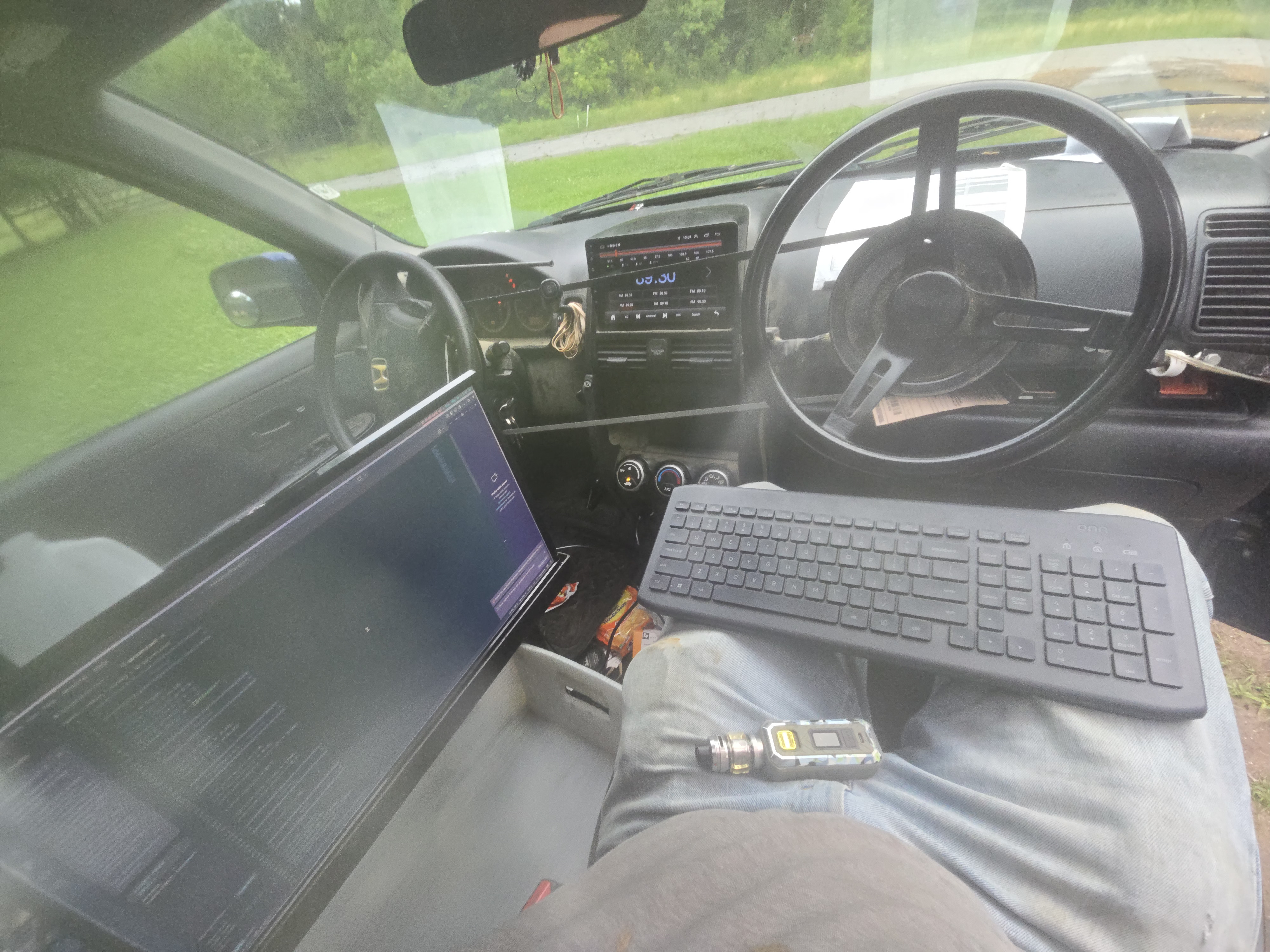 carputer
SUMMING IT ALL UP
All things considered, these last two weeks have been absolutely horrible, to the degree that I’m surprised my dog didn’t die. This challenge could have been a cherry on that cake if not for FreeBSD; it was an absolute dream to get installed and run, and I intend to keep running it. In a world where Linux is constantly becoming more and more mainstream in both good and bad ways, FreeBSD is a reminder of why I fell in love with Linux almost 20 years ago. It’s still got that old cowboy feel to it that I remember feeling back in 2009 when I first spun up my garbage Ubuntu laptop on ft. Leonard wood.